
Quick start
cvedetector runs in Kubernetes. One Helm release installs everything:
- the agent, which watches pods (read-only)
- the API, which matches images against the CVE feed
- the UI
- a bundled PostgreSQL
Install
Section titled “Install”helm repo add huseyinbabal https://huseyinbabal.github.io/chartshelm install cvedetector huseyinbabal/cvedetector -n cvedetector --create-namespaceOpen the UI
Section titled “Open the UI”kubectl -n cvedetector rollout status deploy/cvedetector-apikubectl -n cvedetector port-forward svc/cvedetector-ui 8080:8080Open http://localhost:8080. Within a minute:
- The agent sends the first inventory of running images.
- The API downloads the feed and matches the images.
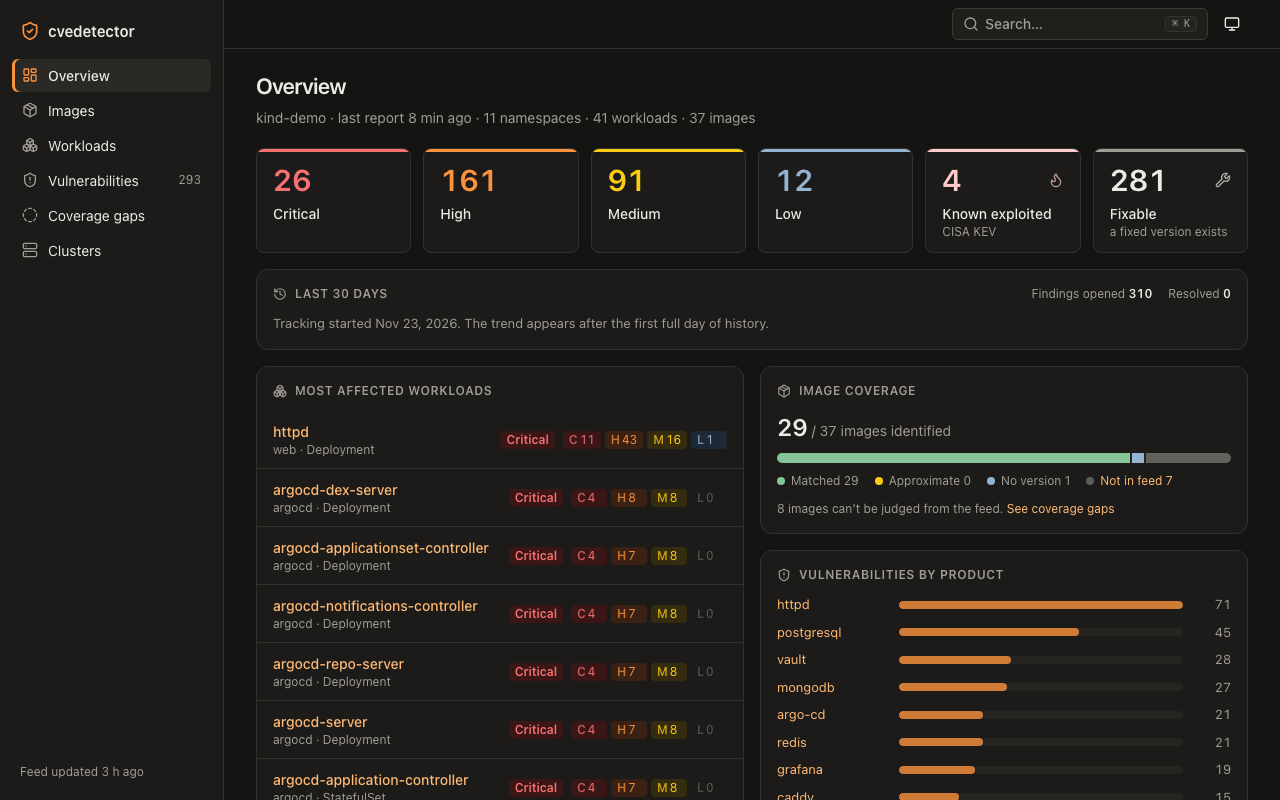
- The Overview fills in.
Try it on kind
Section titled “Try it on kind”To see it with realistic data on your laptop, run some well-known software with older tags first:
kind create cluster --name cvedetector-demokubectl create deployment nginx --image=nginx:1.25.3kubectl create deployment httpd --image=httpd:2.4.57kubectl create deployment redis --image=redis:7.2.3kubectl create deployment grafana --image=grafana/grafana:10.2.2Then install the chart as above. Images that cvedetector can’t match, such as your own applications, appear under Coverage gaps.
Next steps
Section titled “Next steps”- Kubernetes: an external database, ingress, upgrades.
- Multiple clusters: send more clusters to the same API.
- How matching works: what is covered and what isn’t.