
Vulnerabilities
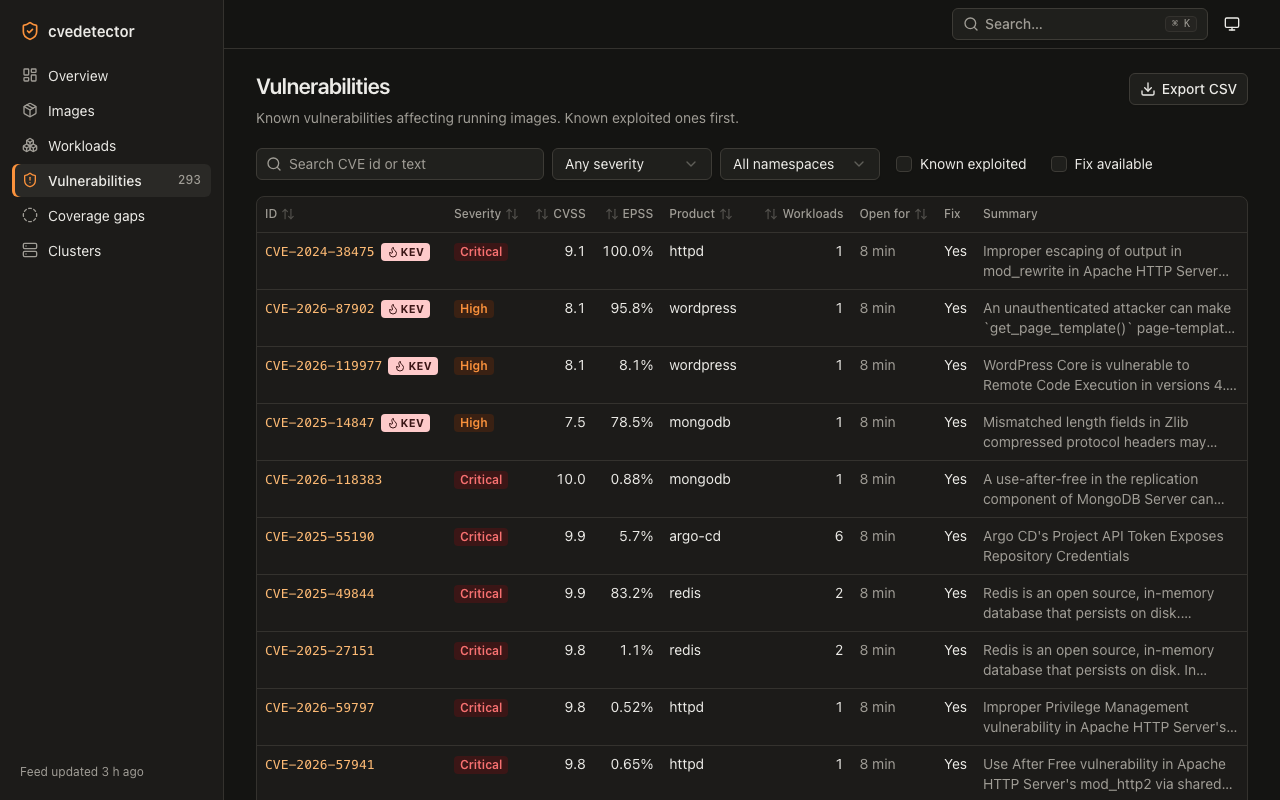
The list shows each CVE once, however many images it affects. The default order:
- known exploited (CISA KEV)
- severity
- CVSS
- number of affected workloads
Columns:
| Column | |
|---|---|
| CVSS | Base score from NVD, or from the OSV record |
| EPSS | Probability of exploitation in the next 30 days (FIRST EPSS) |
| Workloads | How many workloads run an affected image |
| Open for | Since the CVE first appeared on any image in scope |
| Fix | Whether a fixed version exists |
Filters: text (CVE id or description), minimum severity, namespace, Known exploited, Fix available.
CVE detail
Section titled “CVE detail”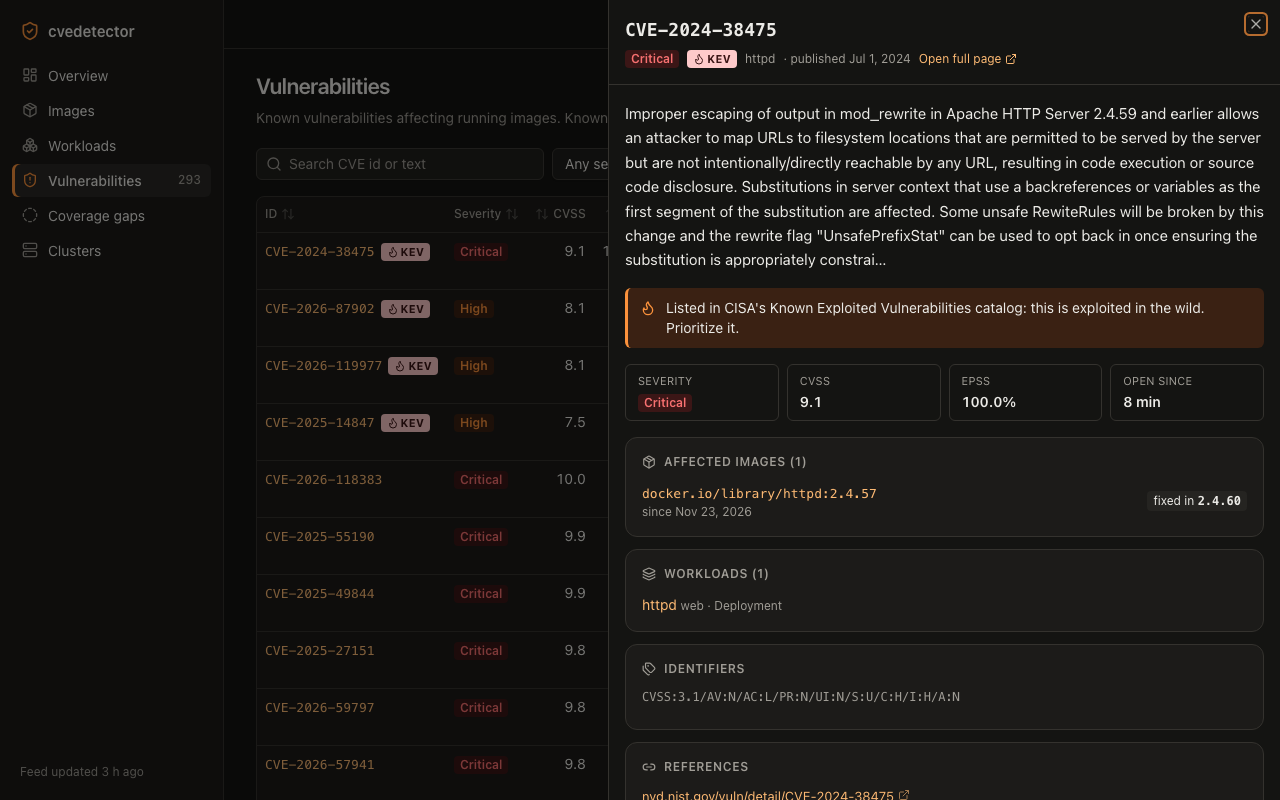
Click a CVE anywhere to open it in a side panel, or use Open full page. It shows:
- the description, severity, CVSS vector and EPSS
- a warning for known exploited CVEs
- the affected images with the version that fixes each one
- the workloads running them
- resolved images and references (NVD, advisories)