
Multiple clusters
One install holds the API, UI and database. Every other cluster runs only the agent and reports to that API.
Connect a cluster
Section titled “Connect a cluster”1. Expose the central API. Agents post to /api/v1/ingest. Enable the ingress on the central install (ingress.enabled=true), which routes /api to the API.
2. Copy the central token into the new cluster:
# central clusterkubectl -n cvedetector get secret cvedetector-ingest -o jsonpath='{.data.token}' | base64 -d
# new clusterkubectl create ns cvedetectorkubectl -n cvedetector create secret generic cvedetector-token --from-literal=token=<token>
To give each cluster its own token, put extra tokens (comma-separated) in a Secret on the central install and set api.extraTokensSecret.name.
3. Install the agent only:
helm install cvedetector huseyinbabal/cvedetector -n cvedetector \ --set api.enabled=false,ui.enabled=false,postgresql.enabled=false \ --set agent.clusterName=prod-eu-1 \ --set agent.apiUrl=https://cvedetector.example.com \ --set agent.existingTokenSecret=cvedetector-tokenIn the UI
Section titled “In the UI”When more than one cluster reports, a cluster picker appears in the top bar. It filters every page and is kept in the URL. With no cluster selected, lists show a Cluster column.
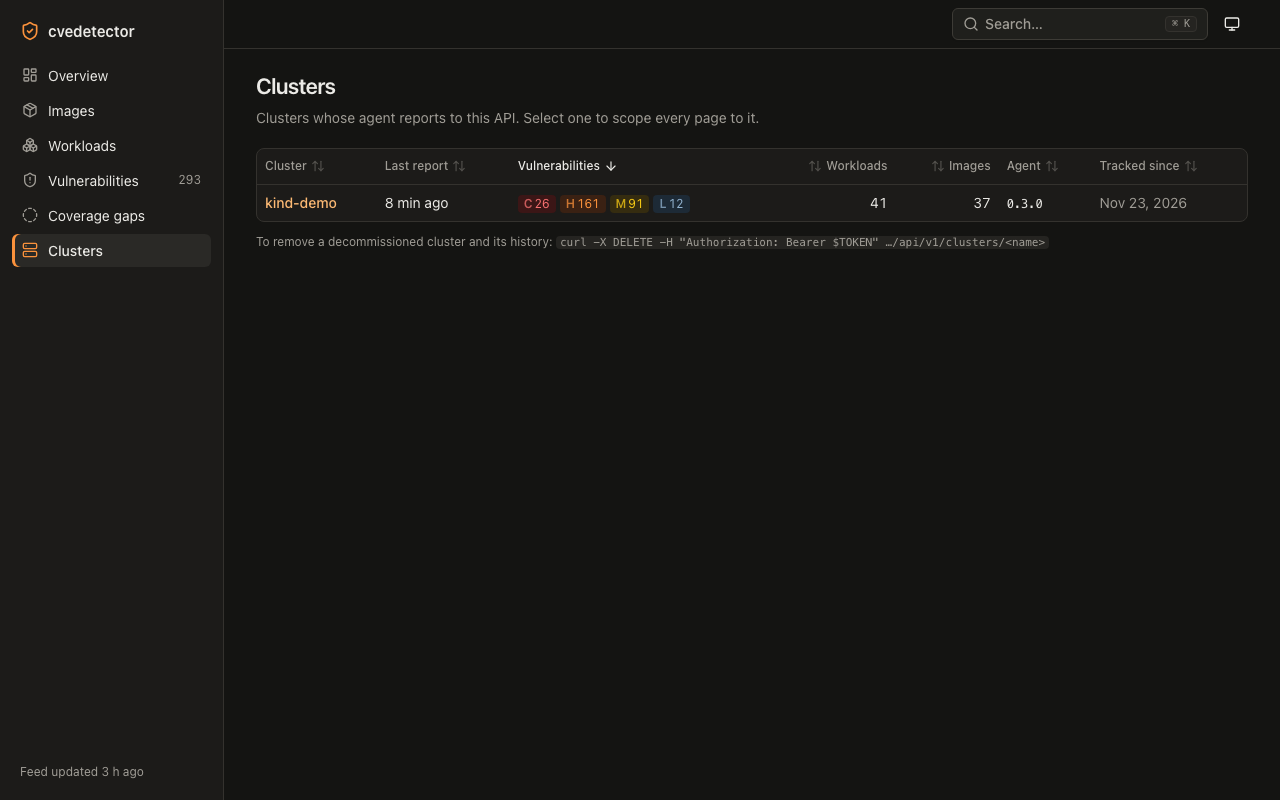
The Clusters page shows when each cluster last reported (with a warning after 30 minutes of silence), its agent version and its counts.
Remove a cluster
Section titled “Remove a cluster”Uninstall the agent, then delete the cluster’s data and history from the API:
curl -X DELETE -H "Authorization: Bearer <token>" https://cvedetector.example.com/api/v1/clusters/prod-eu-1